Smart locks
Smart locks and security: batteries, emergency charging and codes for guests
What happens if the batteries run flat, how you get back in, and what the hidden key, alarms and temporary codes for guests and staff are for.
Anyone considering a smart lock almost always asks the same thing: what if the batteries run flat? And who can get in when I give someone a code? Keliss locks answer with several measures that are worth knowing about before choosing the model.
Batteries and power supply
Many Keliss locks run on AA batteries: four on models such as the Hydro HD021, Lumina and Vortex, eight on the Astra AT010. The Enigma uses a CR123A lithium battery. Models with a camera, such as the Cipher CP2663 and Eikona EK06, have a 5000 mAh rechargeable lithium battery; the Eikona EK01 a 4200 mAh one. Pathos padlocks are recharged from the USB Type-C port.
Almost all models warn of a low battery in advance, with a warning that on some is spoken. When you hear it, replace or recharge the batteries: this is the first rule for avoiding being locked out.
The actual battery life depends on how often the door is opened and which functions are active: a lock with a screen and camera uses more than a compact one with a keypad only. This is why it is useful to keep an eye on the warnings in the first few months, to get an idea of how often they need replacing.
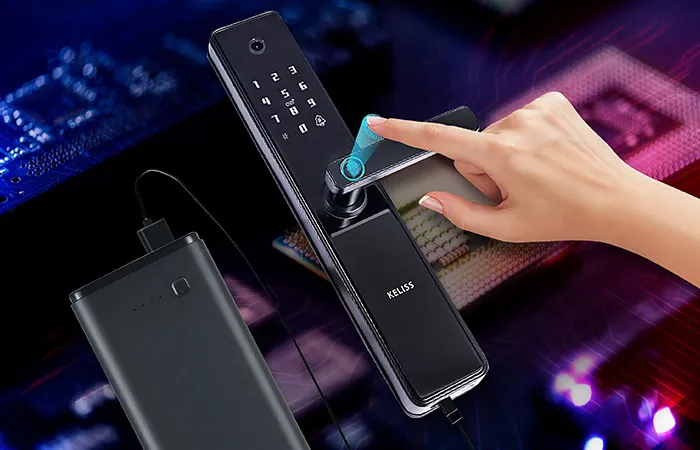
USB-C emergency charging
If the batteries run completely flat, many models have a USB Type-C port on the outside: you connect a power bank, the lock powers up again and you can open it with your fingerprint or code. This is the case, among others, with the Hydro HD021, Astra, Cipher, Eikona and Vortex. It is worth keeping a power bank and the right cable in your car or bag.
The hidden mechanical key
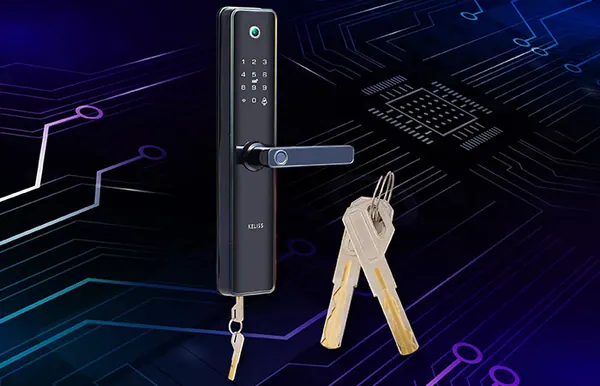
Most models retain a cylinder with a mechanical key, hidden from view: this is the backup solution if you do not have a power bank with you or if the electronics do not respond. Keep the keys as you would those of a traditional lock, and do not leave them near the door.
Where the door is located also matters. Each product page states the operating temperature and humidity: the Hydro HD021, for example, works between -25 and 60 °C and has IP66 protection against rain and splashes. For an entrance exposed to the weather, it is best to start from these figures.
Temporary codes for guests and staff
One of the most practical advantages of a smart lock is no longer having to hand out copies of the key. From the app, on models that support it, you can generate one-time codes or codes valid for a set period, for example for a guest, a cleaner or a technician. When it expires the code no longer works, and any access granted can be revoked at any time.
The Astra AT011 and Vortex locks, for example, generate time-limited one-time codes from the Tuya app. On models with separate administrators and users, only administrators manage access: the Lumina allows 3, the Astra 9, the Cipher and Eikona 10.
Alarms and access control
- Alarm after incorrect attempts: after a series of wrong attempts the lock sounds an alarm.
- Anti-tamper alarm: signals attempts to force the device, on many models.
- Automatic locking: the lock relocks by itself, so the door is not left open by mistake.
- Notifications and images: on some models the app sends notifications, and models with a camera show who was at the door.
A few good habits
Change the main code from time to time and do not use easy sequences such as dates of birth. Register several fingers for each person, so that opening does not depend on a single finger. When someone should no longer have access, delete their fingerprint, code or card. And make sure the phone on which you manage the app is protected by a lock.
You will find the features of each model on the smart locks page. To choose the one best suited to your door, contact us.